Send messages
Type a question, pick an AI model, and chat with AskPhi.
Before you start
- An open chat session — see Start a chat session.
The chat input
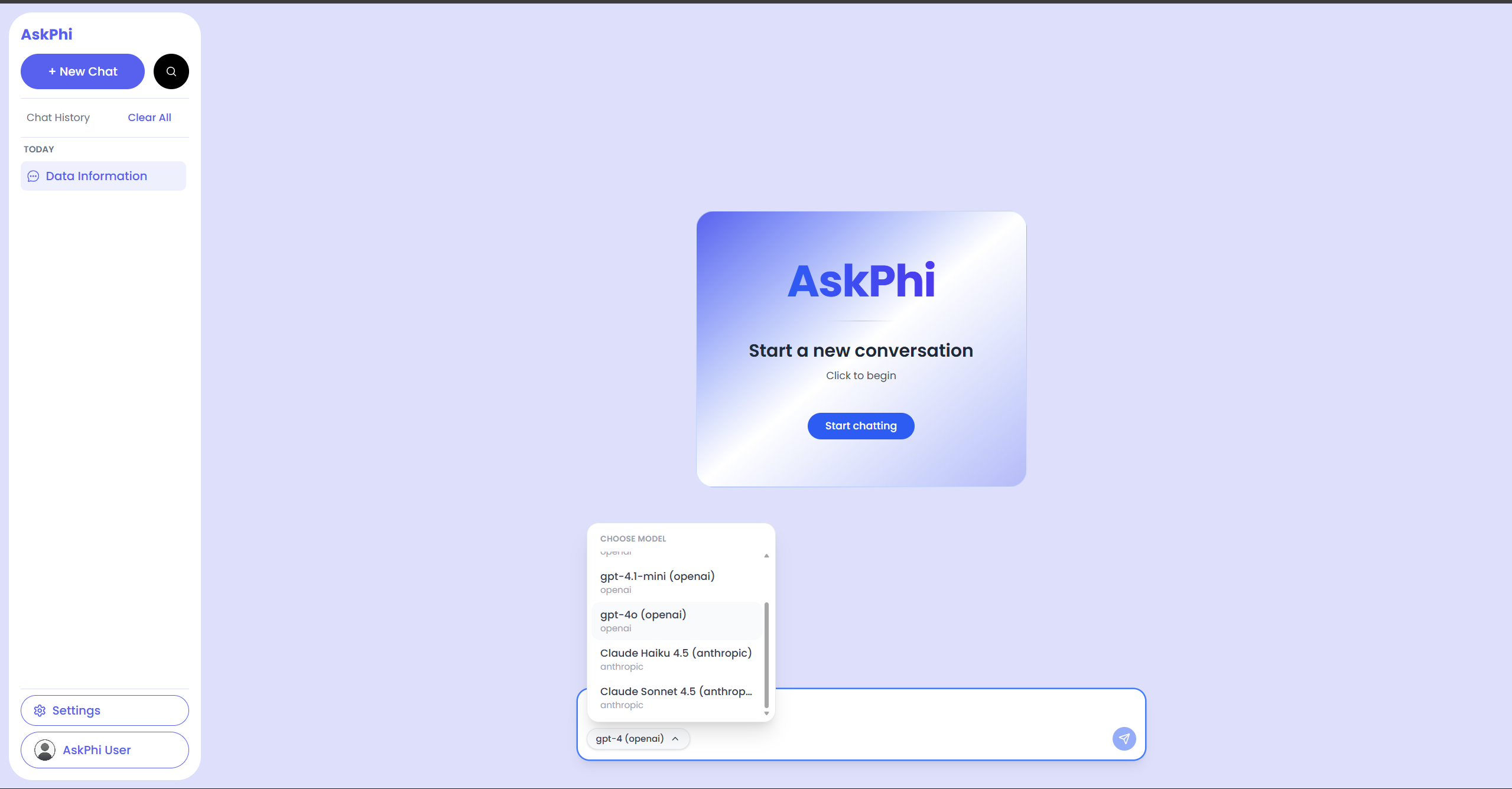
At the bottom of the screen you'll see:
- A text input ("What's in your mind...").
- A model selector chip on the bottom-left.
- A send icon on the bottom-right.
Send a message
- Type your question into the input. Plain English is fine — for
example,
Show me the top 5 sales by revenue. - Press Enter to send.
- Your message appears immediately on the right. The AI's reply appears on the left within a few seconds.
tipBe specific. "Show me the trend of revenue per month" gives a chart; "What is this data about?" gives a summary.
Pick an AI model
- Click the model chip in the bottom-left of the input.
- A menu opens with available providers and models. Models that aren't currently configured are greyed out.
- Click a model to select it. The chip updates to its name and provider.
- Continue typing — your next message will use that model.
What does "model status" mean?
Below the input you may see:
| Message | Meaning |
|---|---|
| (nothing) | A model is selected and ready. |
| "Loading..." | AskPhi is fetching the model list. |
| "Unable to load model providers." | Network or server problem. Try refreshing. |
| "No configured models are available." | No model is set up. Ask an admin to enable a provider. |
Errors above the input
If a message fails to send, AskPhi shows a red banner above the input with the error text. Click the × in the banner to dismiss it once you've corrected the problem.
Common reasons:
- The model became disabled mid-session.
- Your network dropped briefly.
- The server is busy.
Tips for better answers
- Reference column names you saw in the data editor — e.g.
Compare quantity by regionis clearer thancompare it. - Ask for charts directly: "Plot a bar chart of…" or "Show a pie chart of…".
- One question per message keeps replies focused.
- If a reply isn't what you wanted, ask a follow-up — AskPhi has the context of the file and the session so far.